
Skip to content
Admicity
  • Home
  • Home

Forms

9
  • How do Notification Forms work
  • How to set up Form Approvals
  • How to set up form email Autoresponders
  • How to manage or submit Student Forms
  • What are Forms and form filtering?
  • When do parents receive form emails?
  • How to view Form Submissions and create new groups from responses
  • How to create and configure a new form
  • Registering new Applicants

Documents

1
  • What are Documents?

Profiles

3
  • What are Profiles?
  • How to manage Student Profiles
  • How to manage Student Documentation

School Settings

12
  • When do students, parents or employees receive account invitations?
  • How to import and manage Enquiries
  • How to use Group Filters
  • Updating General Settings
  • Configuring and updating MIS Integration
  • How to invite new Users
  • How to edit a User
  • How to register a Parent
  • How to Manage Access Permissions for Users
  • How to create Form and Group categories
  • What are the Sync Logs?
  • What are Lookups?

Roles

2
  • Updating a User’s Role
  • What are the different Roles?

Accounts

1
  • How to Resend a User Invitation
View Categories
  • Home
  • Help Centre
  • Forms
  • Registering new Applicants

Registering new Applicants

1 min read

The School Application Form is used to create the Admicity and SIMS applicant profile. Data imports into Admicity upon submission of the form and then syncs diirectly into SIMS to create the Applicant Record, with the status set in the ‘Intake Choice’ form component.
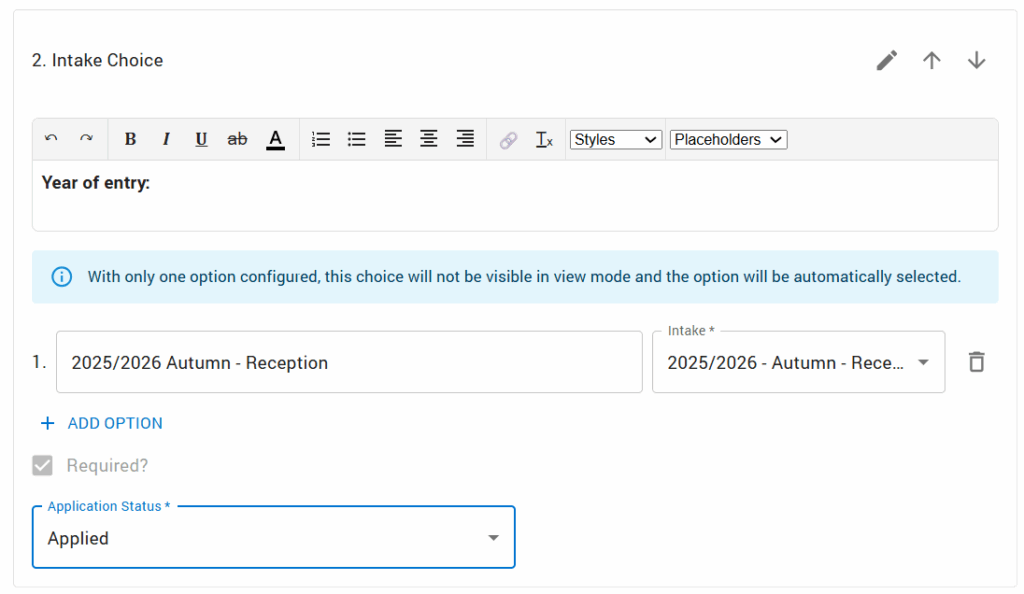
Only basic registration data is collected at this point – more sensitive information is collected via the secure, password-protected Parental Portal, after the offer of a place has been formally accepted and the applicant status has been changed to ‘Accepted’ in SIMS.

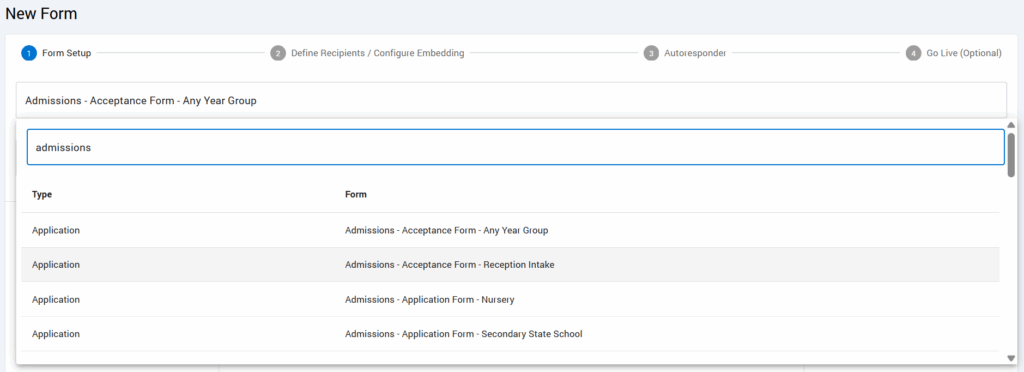
Each customer school can create their own unique Application Form, customised by Admicity to match their particular student intake and admissions criteria. These forms have a form Type of ‘Application’ when searching in the form builder:
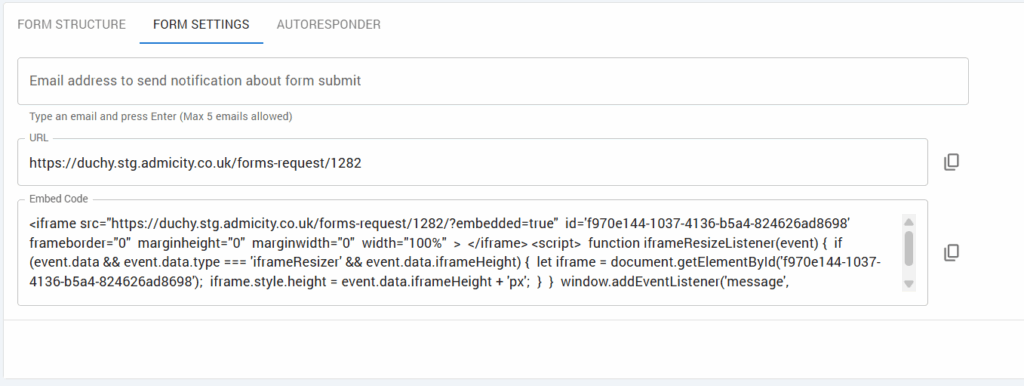
The Application Form allows parents or guardians to submit their child’s application online from the school’s own website – the URL is provided to the customer school once built so it can be embedded as an iframe or sent as a url via communication.
Processes of the Application Form: #

The process of the Application Form in which is integrated with SIMS, at the initial application stage, to create the Admicity Pre-Admission Record and the SIMS Applicant Record are detailed below:

Registration of School Details (Application form): #
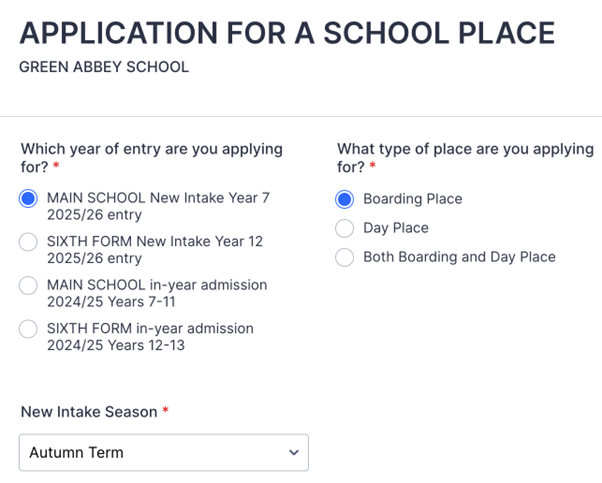
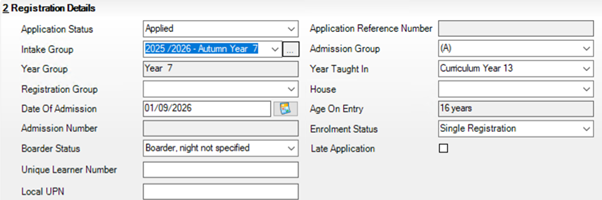
Registration of School details after form submission (SIMS): #
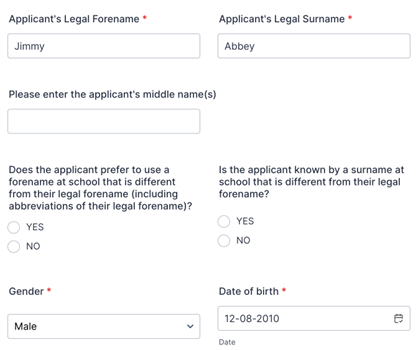
Registration of Applicant’s Basic details (Application form): #
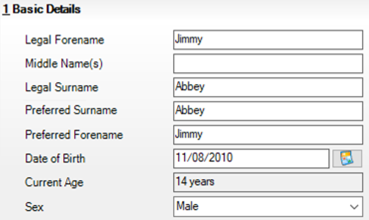
Registration of Applicant’s Basic details after submission (SIMS): #
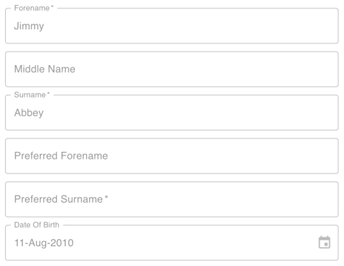
Registration of Applicant’s Basic details after submission (Admicity Platform): #
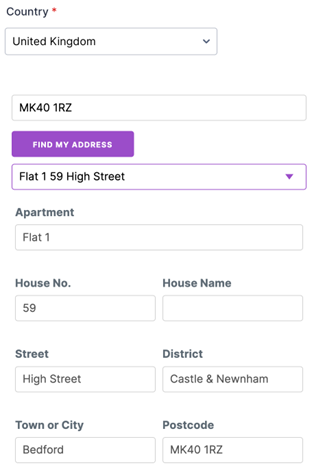
Registration of Applicant’s address details (Application form): #
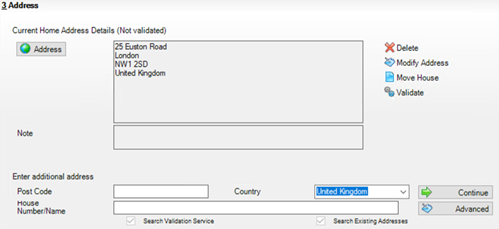
Registration of Applicant’s address details after submission (SIMS): #
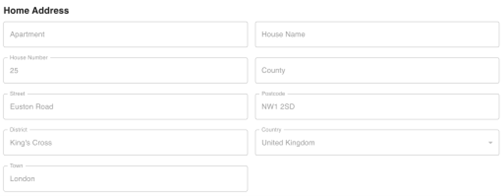
Registration of Applicant’s address details after submission (Admicity platform): #
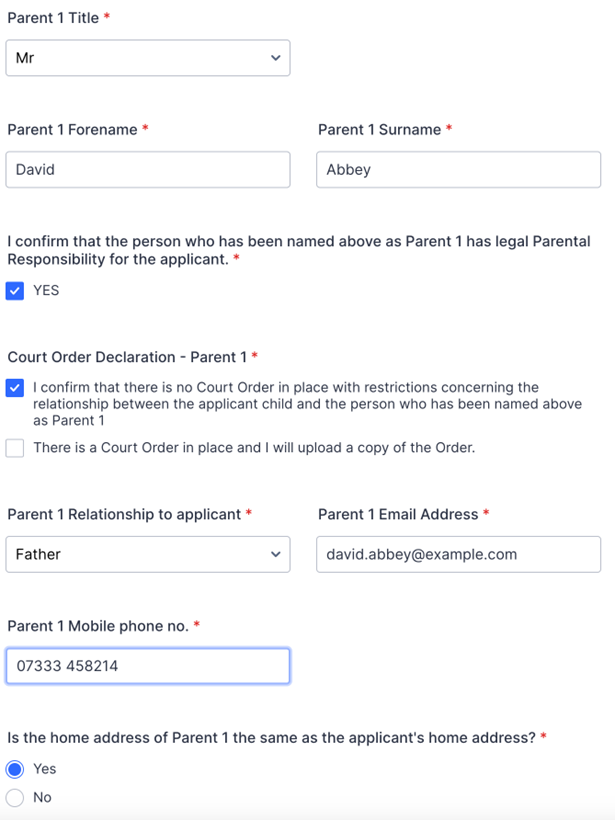
Registration of Parent contact details (Application form): #
Registration of Parent contact details (SIMS): #
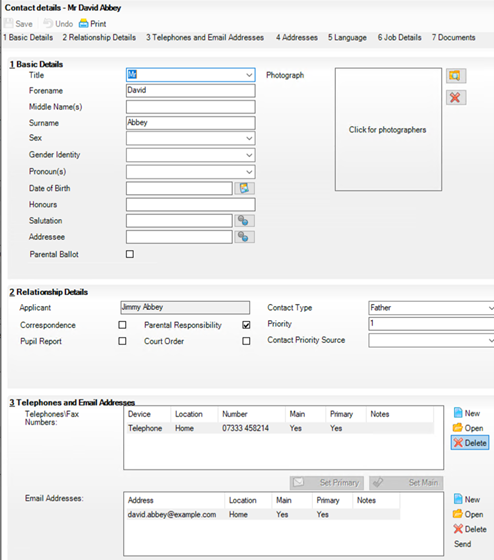
Registration of Parent contact details (Admicity Platform): #
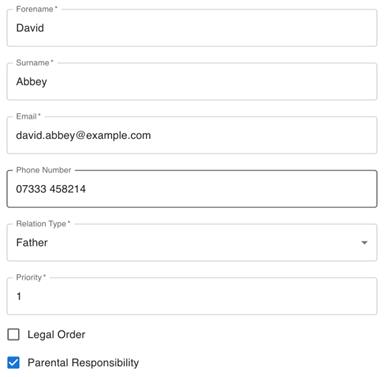
Updated on September 22, 2025

What are your Feelings

  • Happy
  • Sad
How to manage or submit Student FormsHow to set up form email Autoresponders
Table of Contents
  • Processes of the Application Form:
    • Registration of School Details (Application form):
    • Registration of School details after form submission (SIMS):
    • Registration of Applicant's Basic details (Application form):
    • Registration of Applicant's Basic details after submission (SIMS):
    • Registration of Applicant's Basic details after submission (Admicity Platform):
    • Registration of Applicant's address details (Application form):
    • Registration of Applicant's address details after submission (SIMS):
    • Registration of Applicant's address details after submission (Admicity platform):
    • Registration of Parent contact details (Application form):
    • Registration of Parent contact details (SIMS):
    • Registration of Parent contact details (Admicity Platform):
About Admicity

Admicity is dedicated to simplifying administration tasks with innovative solutions tailored to meet the needs of all types of school.

Quick Link

Home

What is Admicity?

About Us

Data Security and Privacy Policy

GDPR Policy

Terms and Conditions

Contact Us

Email: info@admicity.co.uk

Phone: +44 1628 636363

Maidenhead, UK

Follow Us

Facebook

Instagram

LinkedIn

YouTube

© 2025 Admicity Ltd.